💻 Command Prompt vs PowerShell vs Terminal: What's the Difference in Windows?
Understand the differences between Command Prompt, PowerShell, and Windows Terminal, and learn when to use each one.
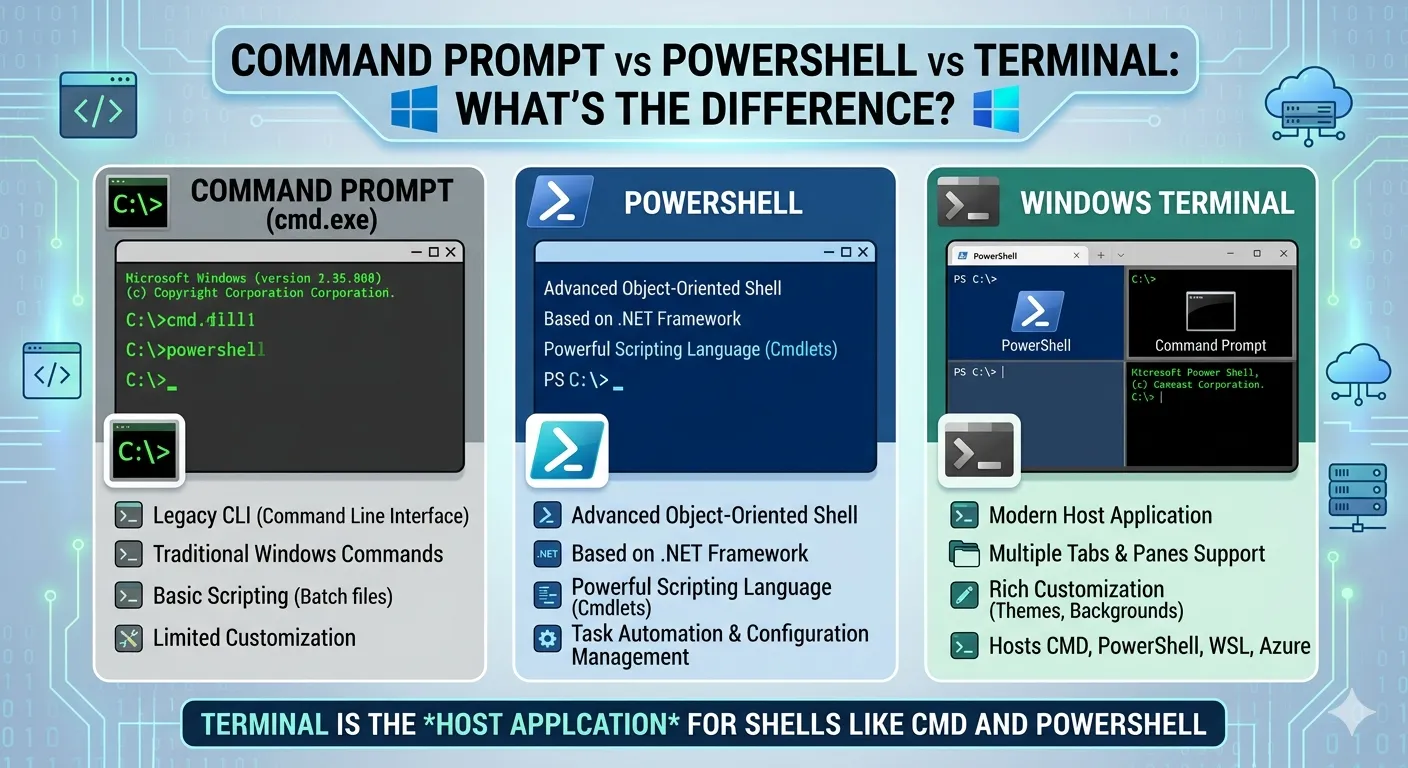
💻 Command Prompt vs PowerShell vs Terminal: What’s the Difference in Windows?
If you are getting into IT, cybersecurity, networking, or programming, you’ve probably heard terms like Command Prompt, PowerShell, and Terminal.
Many beginners think they are the same thing—but they actually serve different purposes.
Let’s break it down 👇
🤔 Why Does Windows Have Multiple Command Tools?
Windows evolved over time.
- Command Prompt (CMD) came first for basic system commands.
- PowerShell was later introduced for automation and system administration.
- Windows Terminal became the modern interface to manage multiple shells in one place.
Think of it like this:
Command Prompt and PowerShell are engines.
Windows Terminal is the garage that holds them.
🖥️ Command Prompt (CMD)
Command Prompt, often called CMD, is the traditional command-line interface in Windows.
It has existed since older Windows versions and is mainly used for basic system operations.
Common Uses
- Navigating folders
- Running simple commands
- Troubleshooting networking
- Executing batch scripts
Example Commands
ipconfig
ping google.com
cd Desktop
dir
Pros ✅
- Lightweight and fast
- Good for simple tasks
- Compatible with older scripts
Cons ❌
- Limited automation features
- Less powerful scripting
- Not ideal for advanced administration
👉 Best for beginners and quick troubleshooting.
⚡ PowerShell
PowerShell is a much more powerful command-line shell built by Microsoft.
Unlike CMD, PowerShell is designed for:
- Automation
- System administration
- Scripting
- Managing Windows systems at scale
It uses cmdlets (command + applet), which are more powerful than traditional commands.
Example Commands
Get-Process
Get-Service
Get-ChildItem
Test-NetConnection google.com
Why PowerShell is Powerful
CMD mostly works with text output.
PowerShell works with objects.
This means you can filter, sort, and manipulate data more effectively.
Example:
Get-Process | Sort-Object CPUThis command gets running processes and sorts them by CPU usage.
Pros ✅
- Extremely powerful
- Great for automation
- Better scripting support
- Useful for cybersecurity and system administration
Cons ❌
- More complex for beginners
- Learning curve is higher
👉 Best for IT admins, cybersecurity learners, and power users.
🪟 Windows Terminal
Here’s where many people get confused.
Windows Terminal is NOT a shell like CMD or PowerShell.
Instead, it is a modern application that hosts multiple command-line environments.
You can run:
- Command Prompt (CMD)
- PowerShell
- Linux shells via WSL
- SSH sessions
- Azure Cloud Shell
—all inside one interface.
Features of Windows Terminal
✅ Multiple tabs
✅ Better customization
✅ Themes and transparency
✅ GPU-accelerated rendering
✅ Split-screen terminals
✅ Better Unicode and emoji support
Example:
You can have:
- Tab 1 → PowerShell
- Tab 2 → CMD
- Tab 3 → Kali Linux (WSL)
—all open simultaneously.
👉 Think of it as a browser for command-line tools.
🔍 Key Differences
| Feature | Command Prompt (CMD) | PowerShell | Windows Terminal |
|---|---|---|---|
| Type | Shell | Advanced Shell | Terminal App |
| Purpose | Basic commands | Automation & administration | Interface for shells |
| Scripting | Basic batch files | Powerful scripting | No scripting |
| Multiple Tabs | ❌ | ❌ | ✅ |
| Beginner Friendly | ✅ | ⚠️ Medium | ✅ |
🎯 Which One Should You Use?
Use CMD if:
- You are learning basic commands
- Running old scripts
- Quick troubleshooting
Use PowerShell if:
- Learning cybersecurity
- Managing systems
- Automating tasks
- Doing advanced networking
Use Windows Terminal if:
- You want a modern experience
- Need multiple shells together
- Use WSL or Linux environments
🧠 Final Thoughts
A lot of people think Terminal, CMD, and PowerShell are the same, but they play different roles.
✔ CMD = Simple, classic command tool
✔ PowerShell = Powerful automation shell
✔ Windows Terminal = Modern app to run multiple shells
If you’re entering cybersecurity or IT, learning PowerShell is a huge advantage, while Windows Terminal makes your workflow much cleaner.
👉 Start with CMD, grow into PowerShell, and use Windows Terminal to manage everything efficiently.